
If you’ve ever said or thought, “I found m.exe in the ShimCache; therefore, m.exe ran on this device,” then you may want to read this.
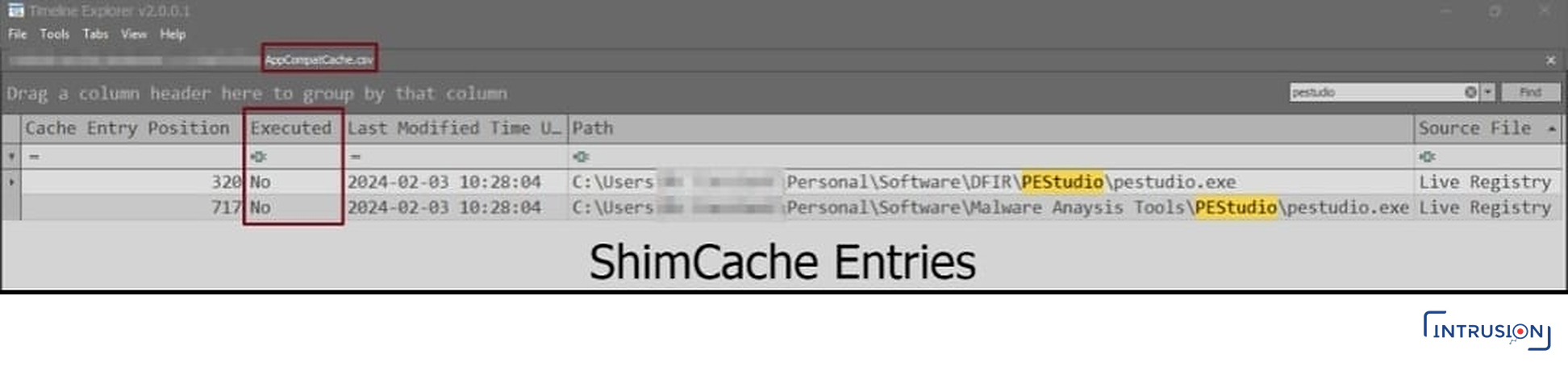
Below is a view from Timeline Explorer where I opened a .csv file generated by Eric Zimmerman’s tool, AppCompatCacheParser [1].

The AppCompatCacheParser output in Timeline Explorer: both pestudio.exe entries marked “No” under Executed.
The parser — obviously — parses the AppCompatCache value’s data (from the SYSTEM registry hive) found in the subkey SYSTEM\ControlSet001\Control\Session Manager\AppCompatCache, processes it, and then outputs a .csv with all ShimCache entries.
One of the columns in that file is “Executed”, which simply takes binary values: “Yes” or “No.”
So, this means that an entry being present in the ShimCache does not necessarily mean it was executed!
As H. Carvey wrote in his blog [2]:
“…the important thing to understand here is that this reductionist approach of saying that ShimCache is evidence solely of program execution is incorrect.”
Are we done? Not quite — we’re just getting somewhere. Now what?
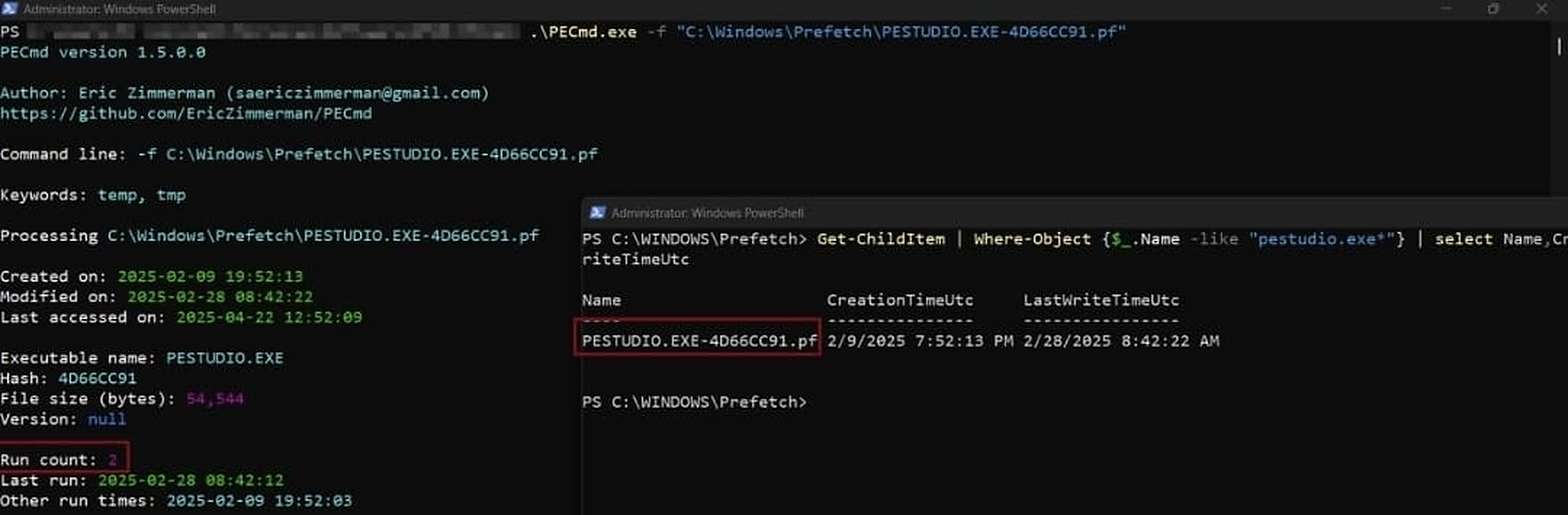
PECmd on the pestudio.exe Prefetch file — a run count of 2.
A Prefetch file shows that pestudio.exe was not only executed but actually ran twice on the device. Yet, Eric Zimmerman’s tool says “No” under the Executed column for both pestudio.exe entries.
Pop Quiz
There are two entries for pestudio.exe with identical $SI modification times. What do you think could be the possible reasons?
(Hint: the path C:\Users\<user>\Personal\Software\Malware Analysis Tools\PEStudio\ doesn’t exist.)
Now back to the point. In [3], you’ll find a closed issue on the AppCompatCacheParser GitHub page where dgmcdona asked Eric how he determines the “Executed” value in the tool.
“The ones that I have marked as being executed were the ones that showed up in the registry with the last four bytes in the entry being a one as opposed to a zero,” Eric said.
The only problem? It’s not always just “one versus zero.”
Here is the hex view for the pestudio.exe ShimCache entry. The last 4 bytes? “64 86 00 00” — not “01 00 00 00”, not “00 00 00 00”.
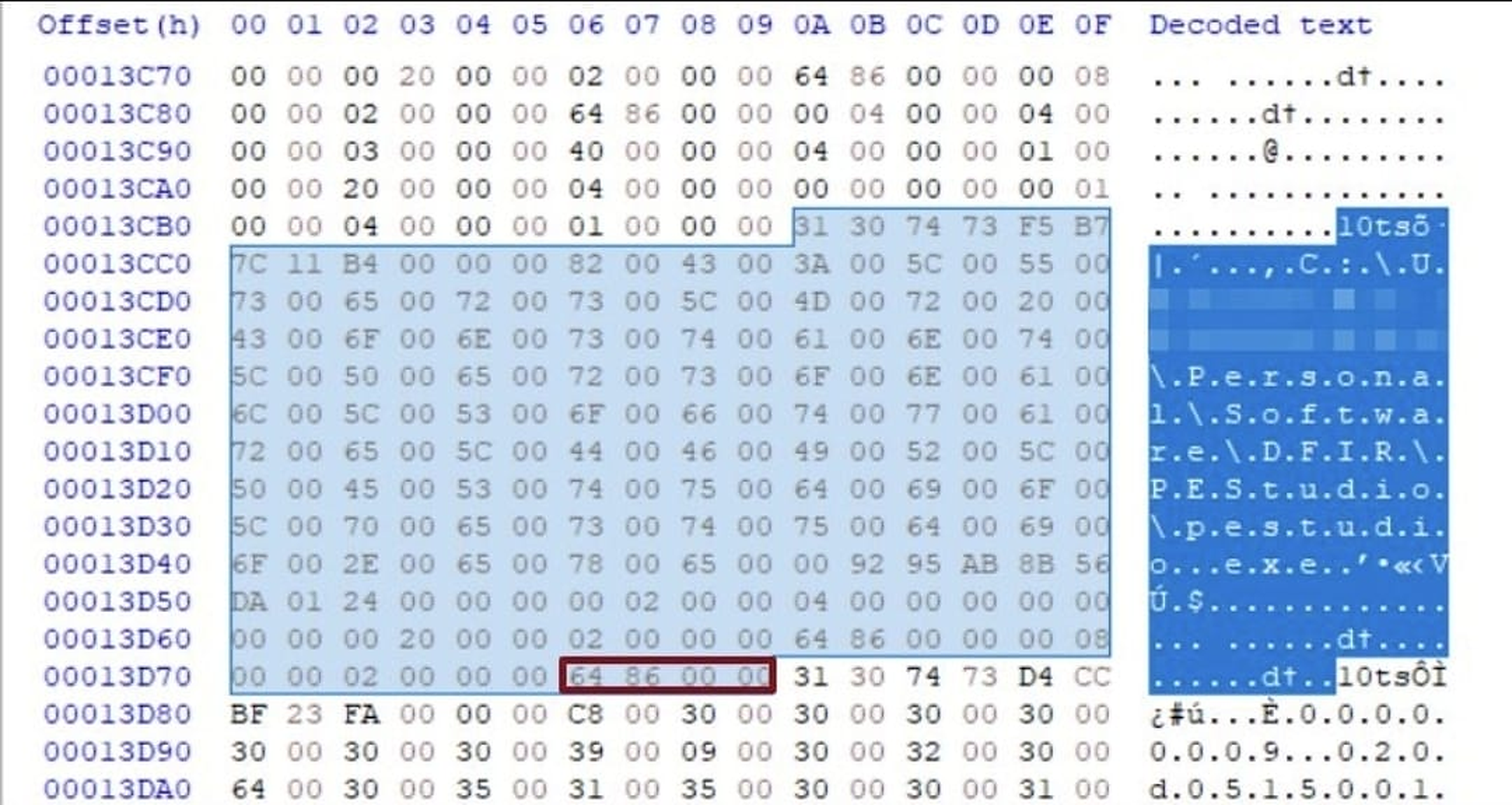
The hex view of the pestudio.exe ShimCache entry — the last 4 bytes are “64 86 00 00”.
So why did AppCompatCacheParser set the “Executed” value to No?
I learned a lot from Mike’s blog series on this [4]. Here is the source code from the parser on GitHub. It checks whether the last four bytes equal “01 00 00 00”. If not, it marks “Executed” as No — assuming anything else means “00 00 00 00”.
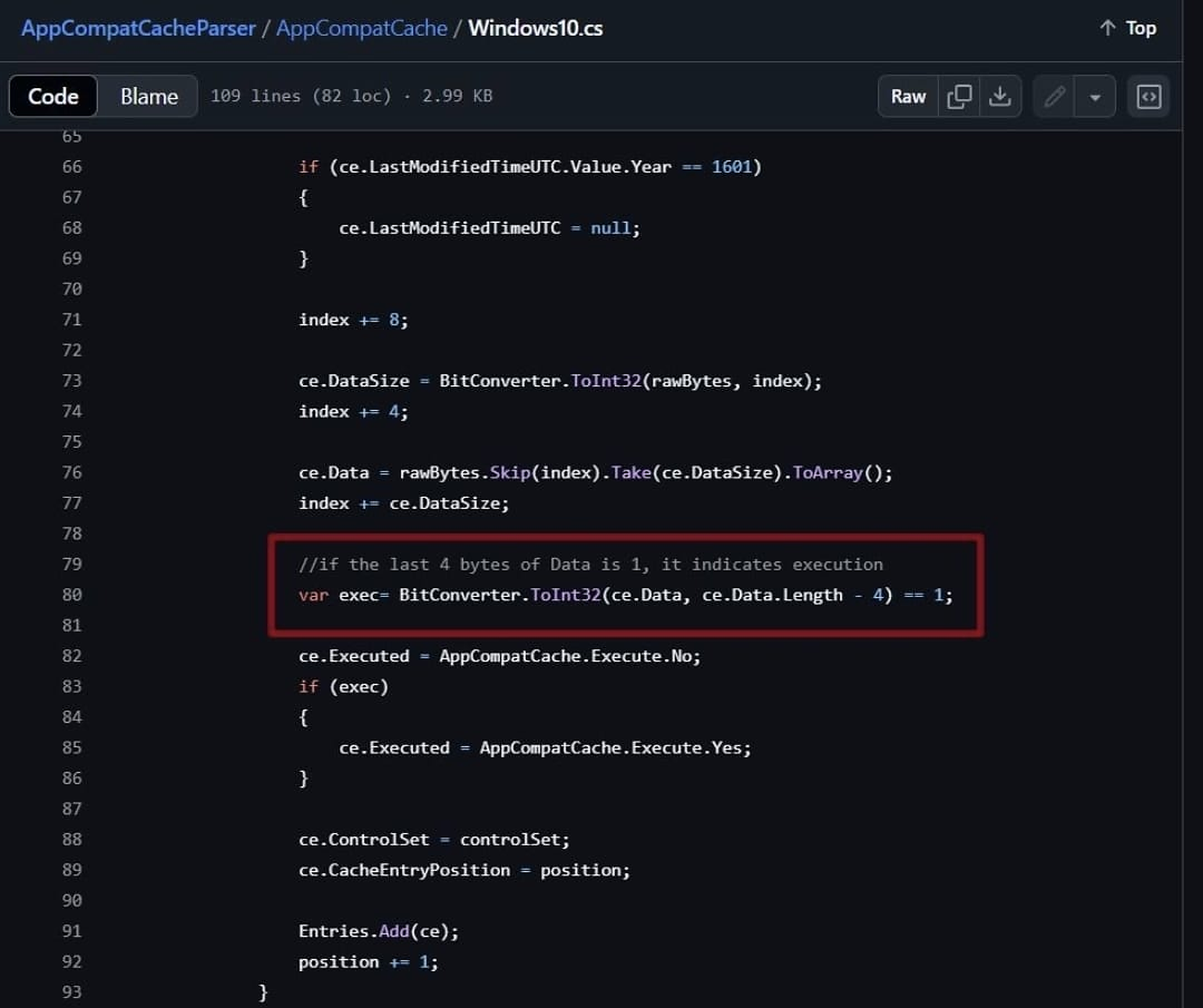
The parser’s source (Windows10.cs): it treats the entry as executed only when the last 4 bytes equal 1.
The takeaway: ShimCache should answer “Was this binary present and evaluated by the loader?”, not “Was it executed?” An entry is written when the image is encountered, which may or may not be followed by execution — and the “Executed” flag a tool shows is only as good as the assumption behind it. Always understand how your artifact and your tools actually work before you build a conclusion on them.
References
- [1] GitHub — AppCompatCacheParser (Eric Zimmerman): github.com/EricZimmerman/AppCompatCacheParser
- [2] H. Carvey — Program Execution: The ShimCache/AmCache Myth: windowsir.blogspot.com
- [3] GitHub — Windows 10 Exec Flag Issue (Eric Zimmerman): github.com/EricZimmerman/AppCompatCacheParser/issues/6
- [4] Mike — AppCompatCache Deep Dive: nullsec.us
This article was originally published by the author on LinkedIn: “I found m.exe in the ShimCache; therefore, m.exe ran” — the ShimCache execution myth.
0 comments
No comments yet. Be the first to share your thoughts.