
I can’t remember exactly how it started, but somehow my weekends turned into offensive development practice.
This time I wrote a small program that launches PowerShell to download a file and drop it in the Public directory. The catch: the PowerShell command line that gets logged is entirely spoofed.
The technique is Process Argument Spoofing, an old one, documented in MITRE ATT&CK as a sub-technique of Hide Artifacts [1].
The idea
The implementation is simple. On Windows, some process-related information is stored inside the process’s own memory, in a structure called the Process Environment Block (PEB). One of those values is the command line used to start the process.
Since this information lives in user space — inside the process’s virtual memory — a developer can reach that structure and change its values.
What the logs saw
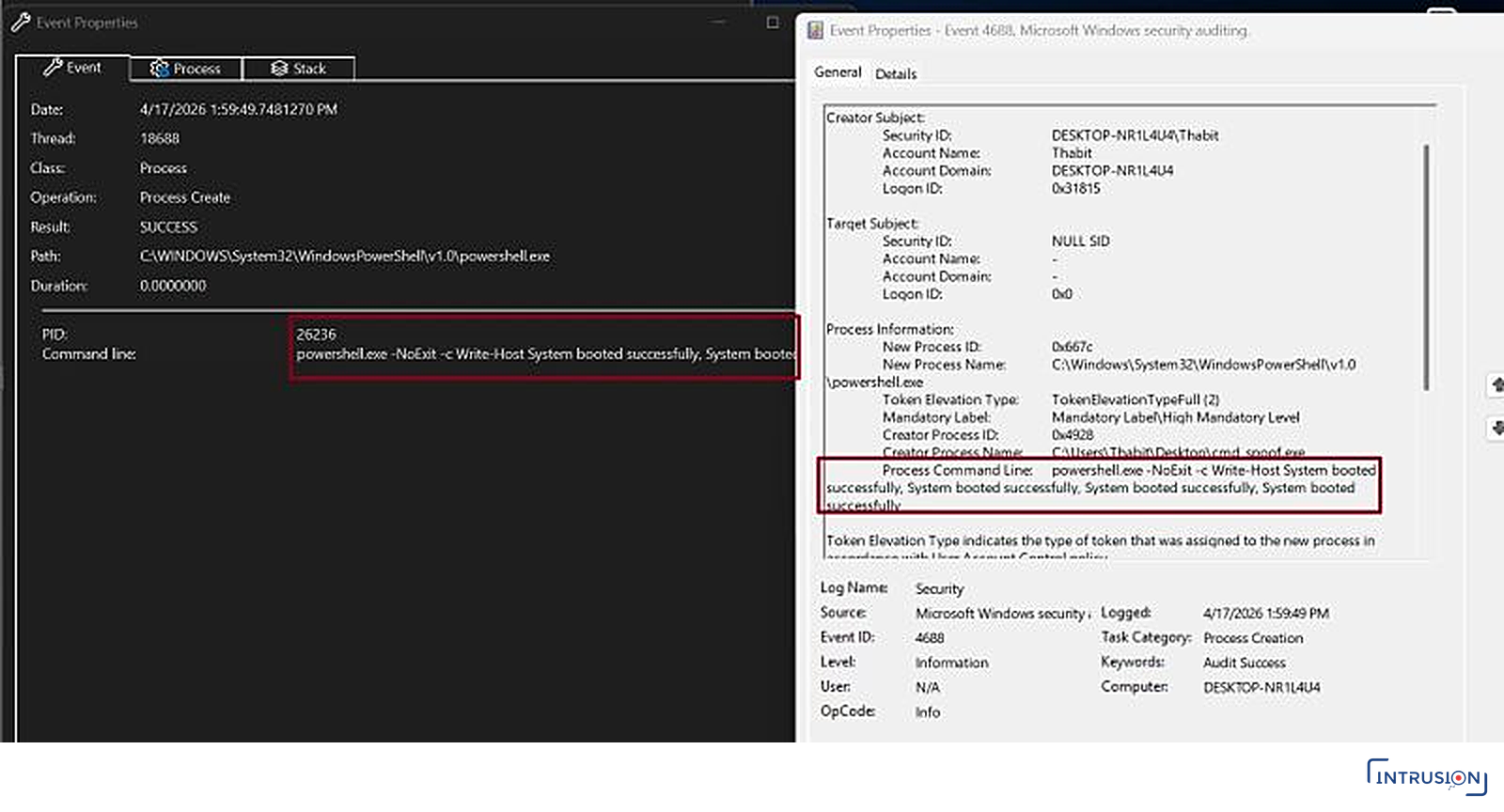
In the first screenshot, both the Windows Event Log (Security 4688) and Procmon record PowerShell starting with its command line: a harmless Write-Host printing text to the console.
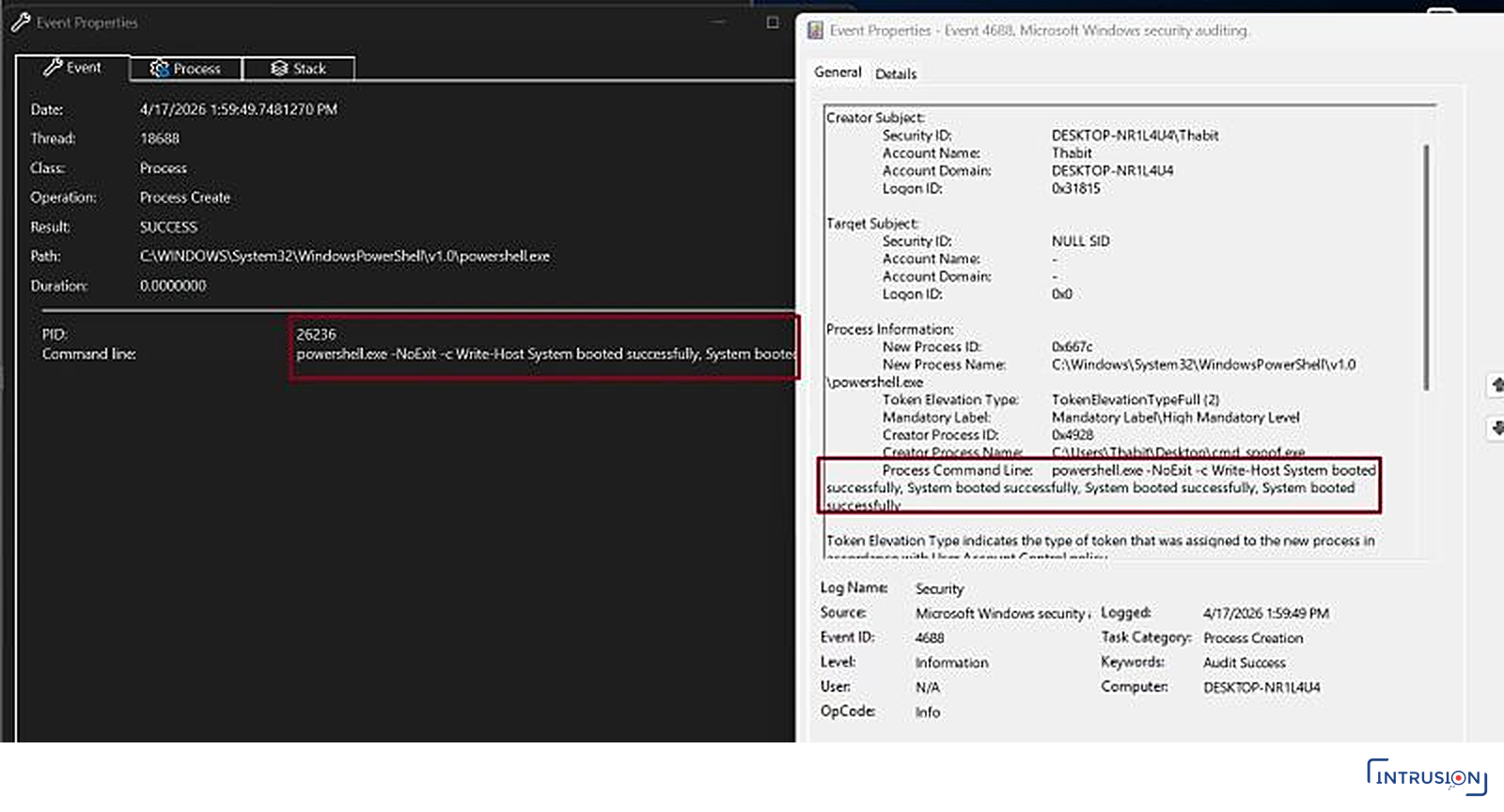
Procmon and Security 4688 agree: PowerShell started with a harmless Write-Host command line.
In reality, that command was never executed. What PowerShell actually ran was a web request that downloaded an executable and placed it in the Public Desktop directory.
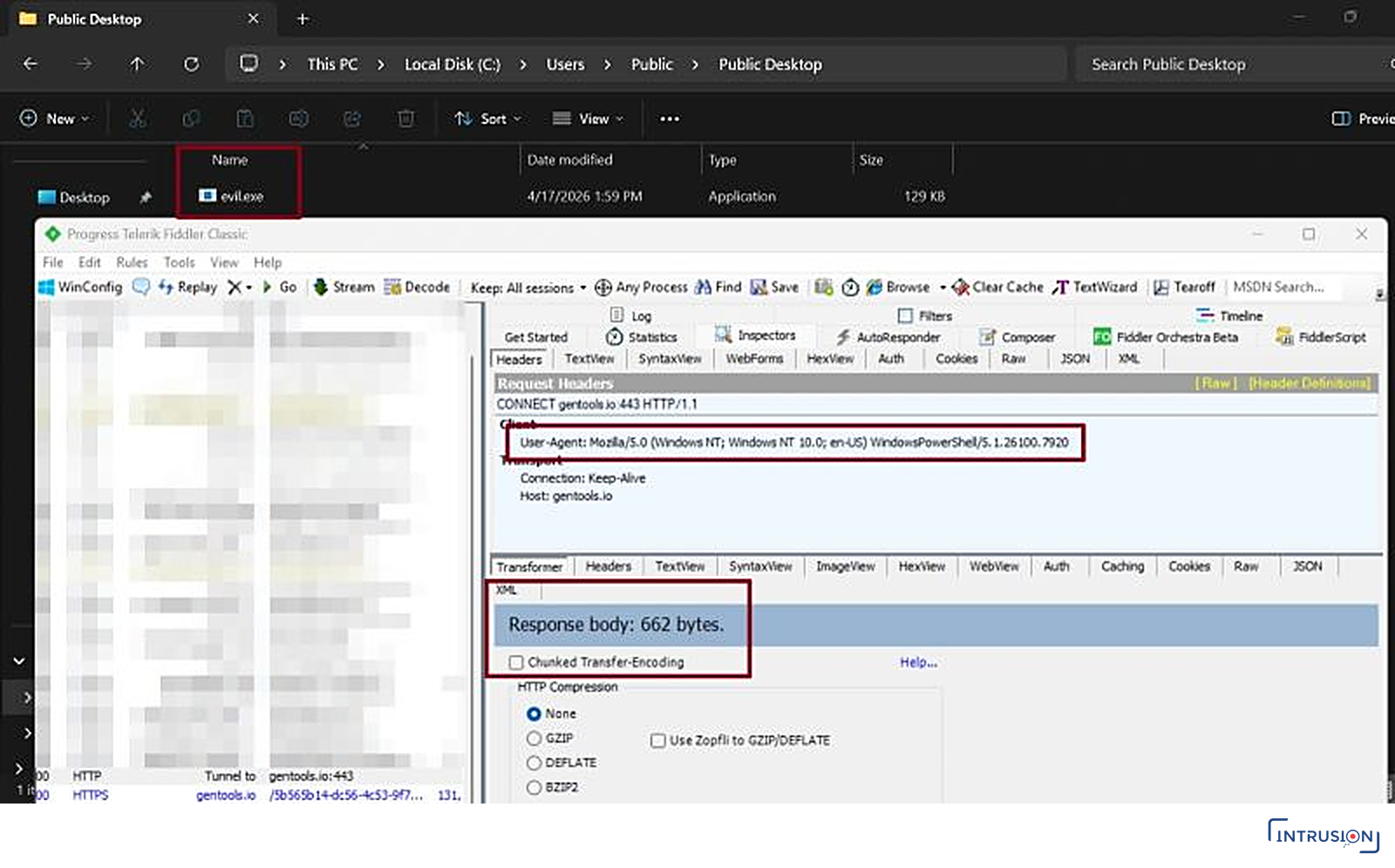
What really happened: evil.exe lands in Public Desktop, and Fiddler shows PowerShell’s own user agent fetching it.
How it works, step by step
- The malware starts PowerShell with the
Write-Hostcommand line, but creates its main thread in a suspended state. - At this point, Windows Event Logging, Procmon, Sysmon and many EDRs log this benign command line as part of the process creation event.
- The malware then accesses PowerShell’s PEB and overwrites the initial command line with the malicious one — the one that performs the web request.
- Finally, the suspended thread is resumed, and the modified command line in the PEB is the one that actually executes.
In the third screenshot, WinDbg inspects the structure holding the command line (pointed to by the PEB), and the real executed command is visible in the buffer.
In the same screenshot, Process Hacker shows yet a third command line containing only powershell.exe. That is another trick: manipulating the length field to evade how some tools read the PEB. Worth reading about.
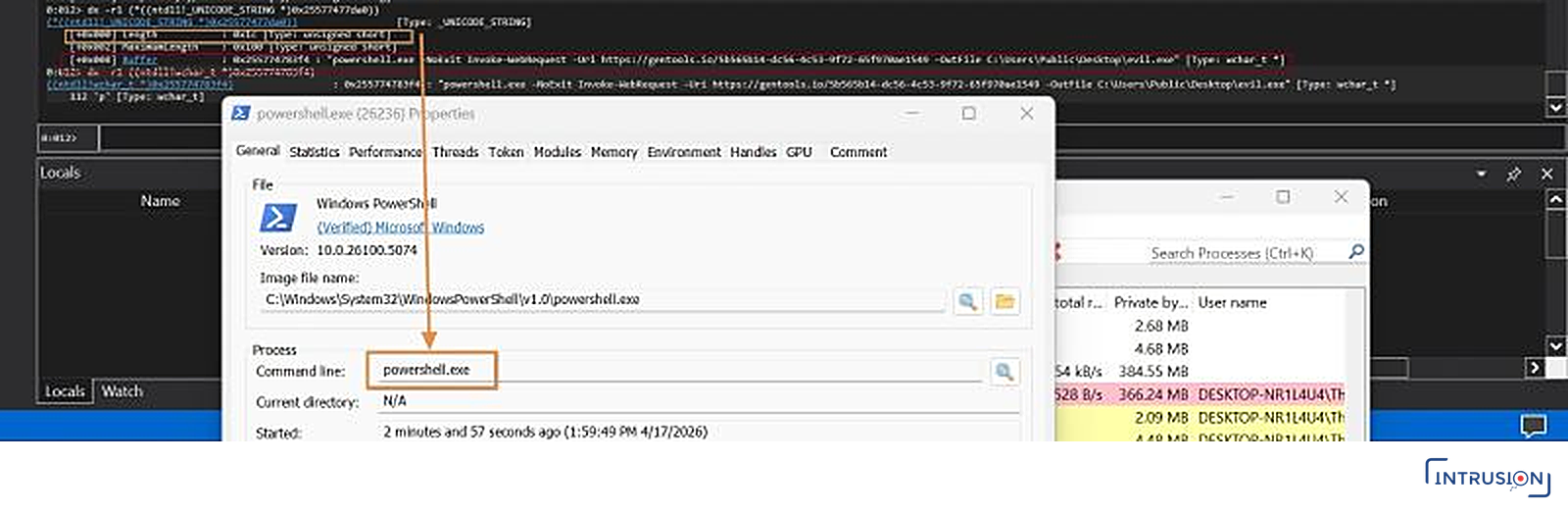
WinDbg reads the real command from the PEB buffer; Process Hacker, fooled by the length field, shows only powershell.exe.
Detection
Detecting this technique can be very challenging. Many SOCs I’ve worked with don’t have the host capabilities to reliably detect:
- Suspended process creation
- Mismatches between logged command lines and the actual in-memory values
That said, I don’t think this should be the main problem. After all, some environments still don’t even enable command-line auditing!
The most practical approach here is context development. You might not detect argument spoofing directly at process start, but you can place that event in a timeline that reveals the suspicious follow-up activity: outbound web requests, executable downloads, and subsequent execution.
With further investigation — malware analysis, live response, or memory forensics — this behavior becomes much more visible.
References
- [1] MITRE ATT&CK — Hide Artifacts: Process Argument Spoofing (T1564.010): attack.mitre.org
This article was originally published by the author on LinkedIn: Process Argument Spoofing — when the logged command line is not the executed one.
0 comments
No comments yet. Be the first to share your thoughts.