
I was reading one of my favorite sources, Red Canary, on detection opportunities around process injection [1], and I stopped at one section.
In it, the author uses mavinject.exe — a legitimate Microsoft utility built to inject DLLs into running processes — to inject vbscript.dll into the memory space of lsass.exe. The article then walks through the traces this behavior may leave across different telemetry sources:
- Process creation events
- Command-line auditing
- Module load events
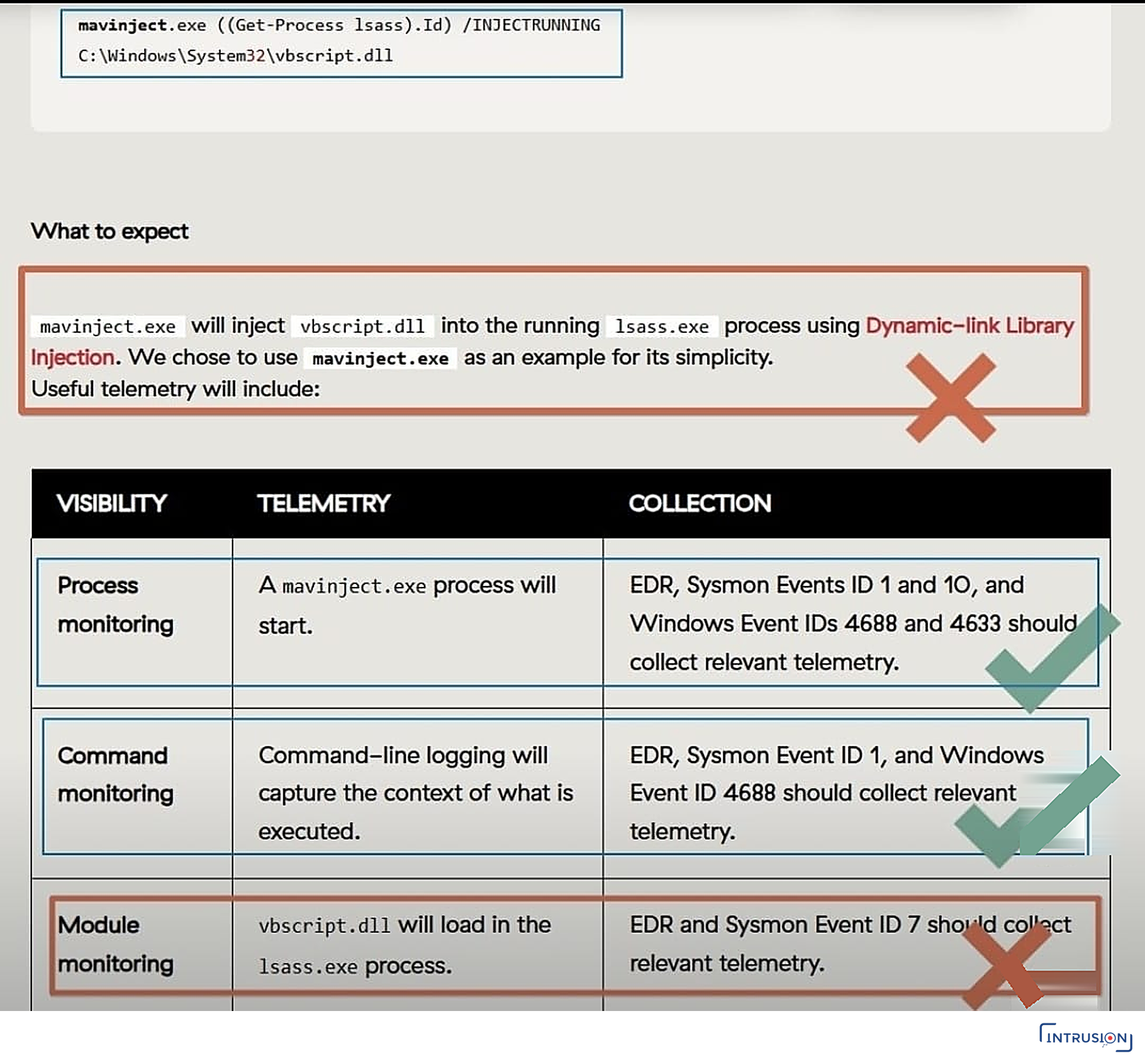
The section in question: mavinject.exe injecting vbscript.dll into lsass.exe, and the telemetry the article expects.
I went straight back to check the publication date. Not because the detection is wrong, but because I was curious how the LSASS injection succeeded at the time it was written.
Context is everything
On modern Windows 11 systems, LSASS commonly runs as a Protected Process Light (PPL) by default. That means a normal user-mode process — even one with administrative privileges — cannot meaningfully access LSASS memory for operations such as DLL injection. At most, access is heavily restricted unless the caller has an equal or higher protection level, kernel assistance, or a bypass technique.
Of course, protections like PPL can still be bypassed, for example with BYOVD (Bring Your Own Vulnerable Driver). But that is not the point here.
Reproducing the test
I reproduced the Red Canary test from an elevated PowerShell session, attempting the injection into two targets:
lsass.exenotepad++.exe
As expected:
- The injection into Notepad++ succeeded.
- The injection into LSASS failed.
And interestingly, Sysmon Event ID 7 (Image Load) only appeared for the successful injection into Notepad++.
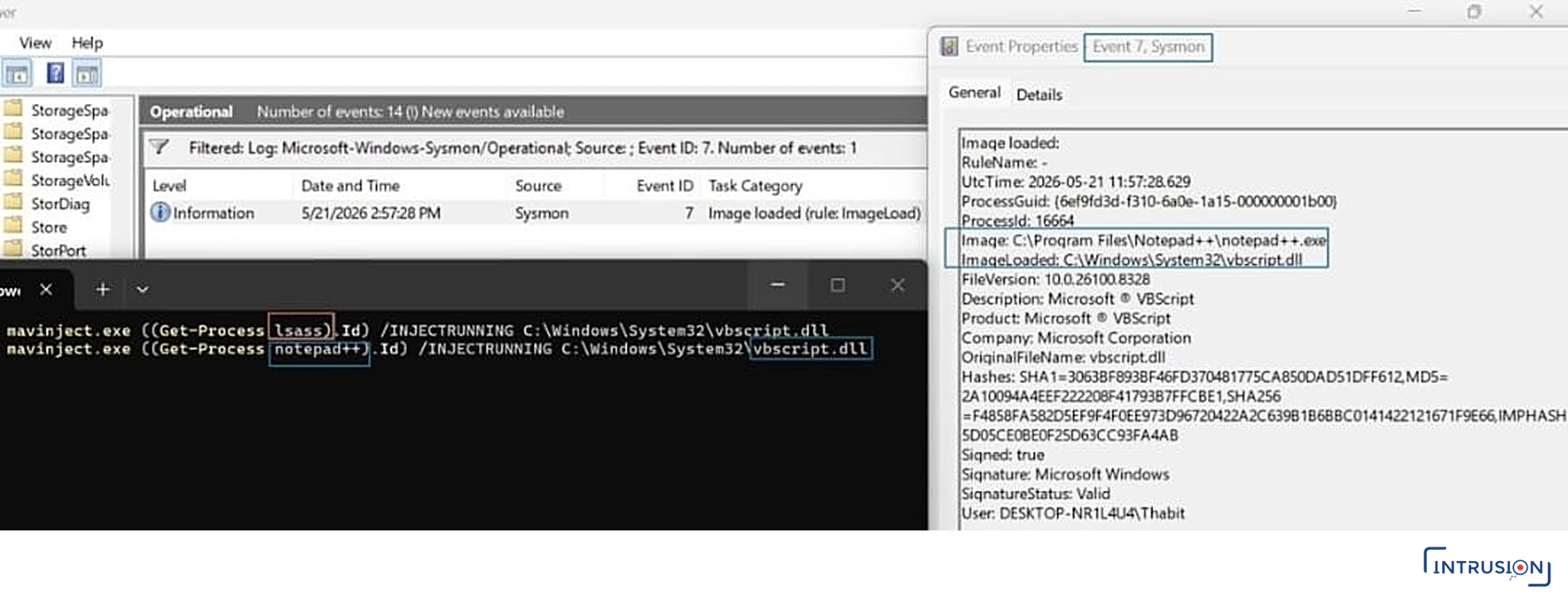
Two injection attempts, one Sysmon Event ID 7: vbscript.dll loaded into notepad++.exe only.
When the tool says nothing, ask the logs
Another observation: mavinject.exe gives almost no meaningful console output — nothing about what happened, which command succeeded, or why the other one failed.
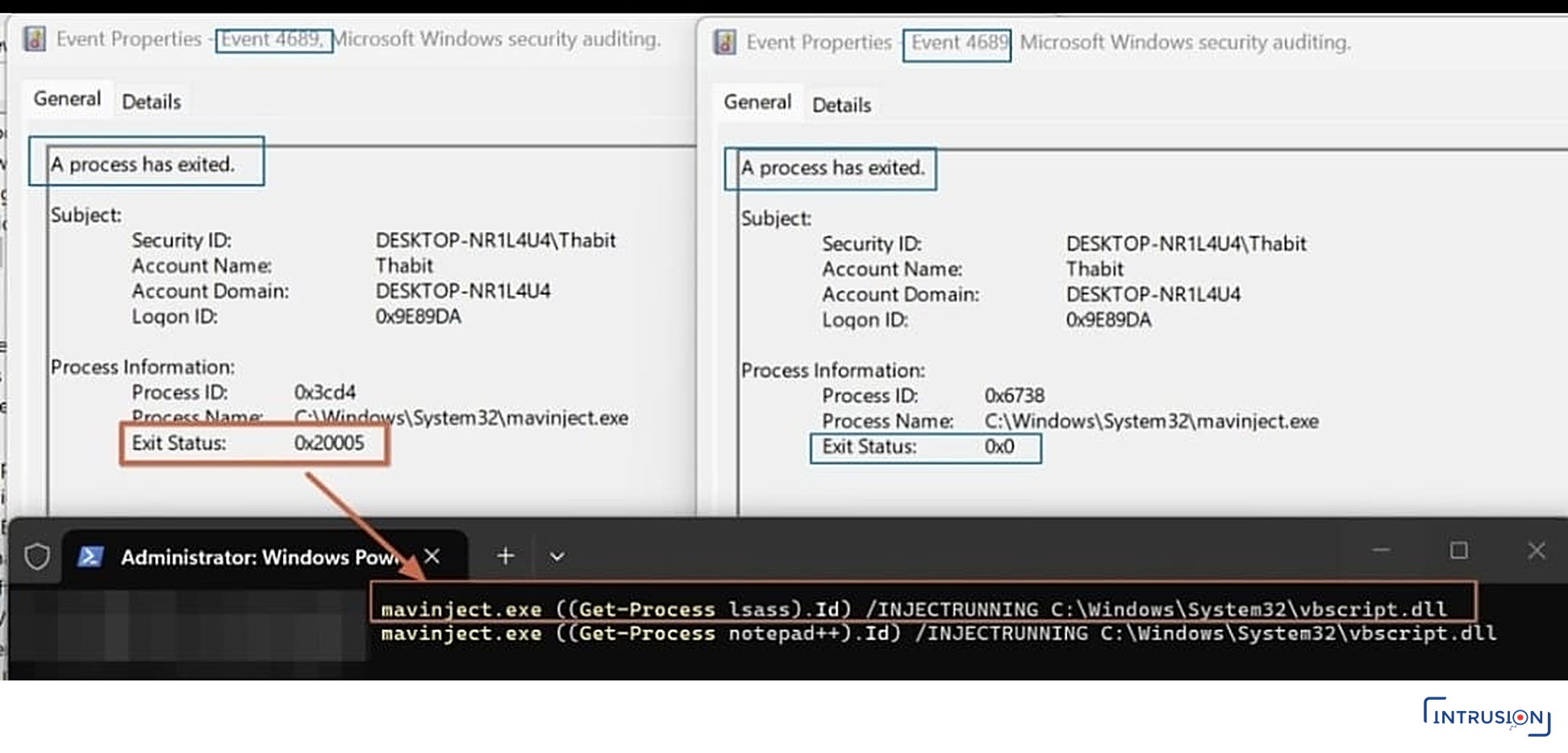
So I went directly to one of my favorite artifacts: Microsoft-Windows-Security-Auditing Event ID 4689, “A process has exited”, from the Security log (disabled by default on Windows).
- The Notepad++ injection exited with status
0x0— success. - The LSASS attempt exited with an error status indicating an access violation.
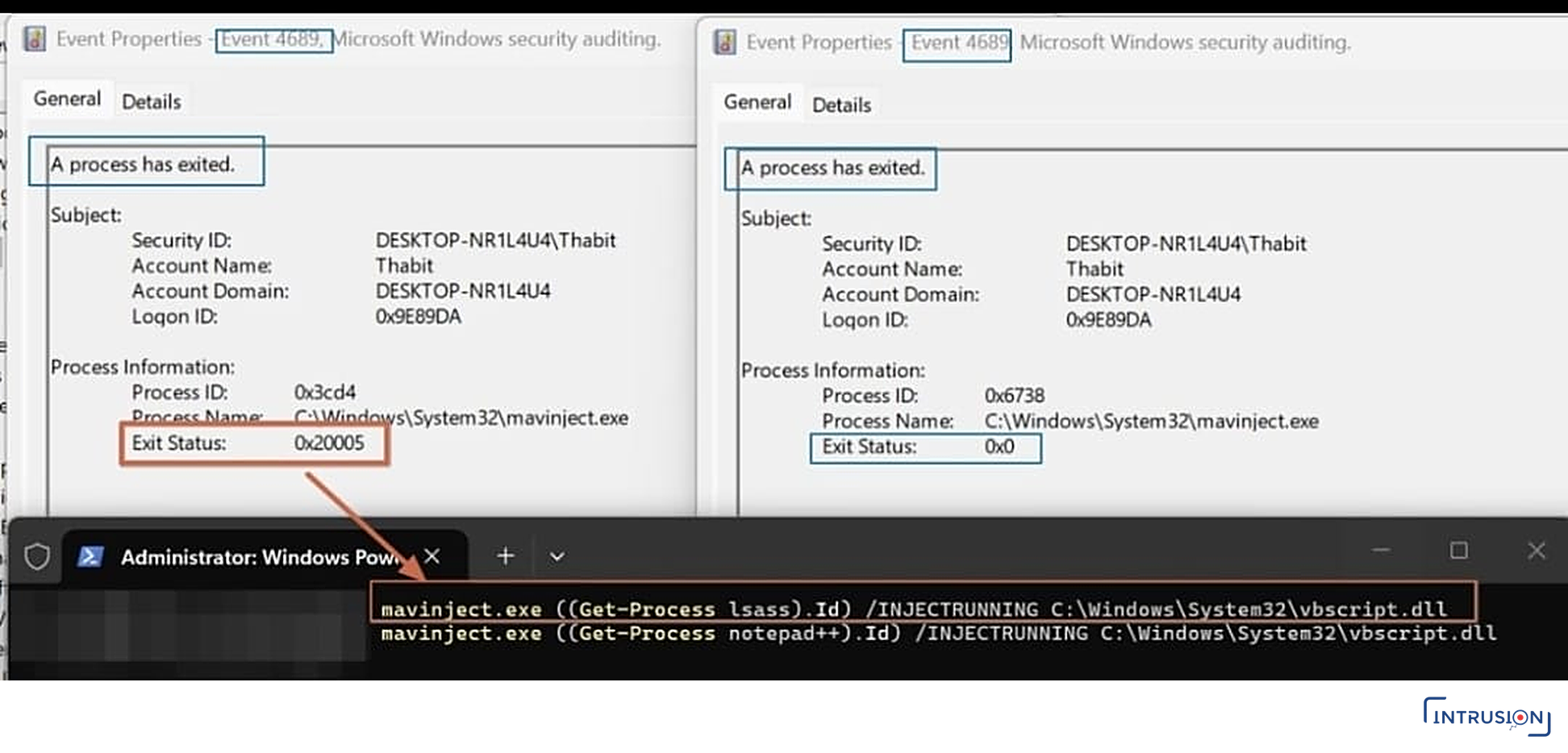
Event 4689 tells the two runs apart: the LSASS attempt exits with an error status, the Notepad++ run with 0x0.
Takeaways
A quick test, with more than one reminder in it:
- Keep validating and revisiting what you read online. Not because the information is necessarily wrong, but because in a world as complicated as the digital one, every piece of information needs context — and that context is rarely, maybe never, complete.
- Understanding a system’s internals changes how you approach detection and investigation on it.
- Process creation is only the beginning of the story. Treating a process start event as definitive proof that the process achieved its objective can become a serious problem during an investigation. For a previous example of exactly this problem, see this earlier post on execution evidence.
References
- [1] Red Canary — Threat Detection Report: Process Injection: redcanary.com
This article was originally published by the author on LinkedIn: mavinject, LSASS and why a process start is not proof of success.
لا توجد تعليقات
لا توجد تعليقات بعد. كن أول من يشارك رأيه.